
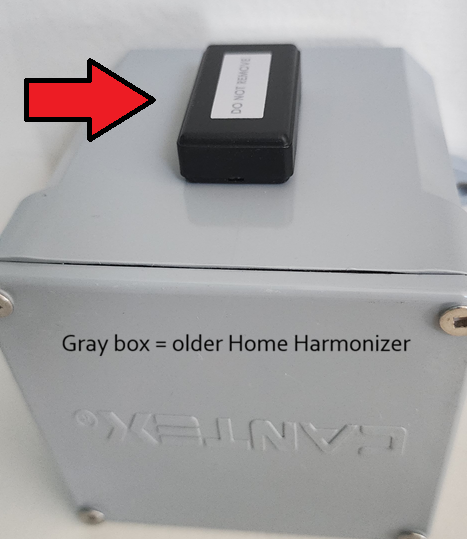
ARMORED UPGRADE CHIP
MOST IMPORTANT PRODUCT YOU’LL EVER NEED
VITAL FOR EVERYONE WHO HAS EVER BOUGHT A HOME HARMONIZER OR BOOSTER BOX. Also works on top of “old” (prior to 3300 series) Room Harmonizers (approx prior to April 8th, 2026).
Home Harmonizers and Booster Boxes purchased after about April 8th, 2026 (Series 3300 & after) DO NOT NEED THIS because it is already built in.
Since the introduction of the new High Speed Fiber optic people all over have been describing everything from feeling: off, unsettled, restless, or just plain terrible. Many are self describing sleep disturbances, lack of energy, concentration difficulties, & more. It can be sudden or slowly over months but it is happening to so many. Those not feeling this are surely still being affected. This product is for what often causes this disorder!
This new horrible EMF and subatomic chaos mess affects all of the houses in the neighborhood (so all of us) not just those with fiber service! But please feel free to get the fiber optic service (which technologically is great) as long as you have our products!
EASY INSTRUCTIONS:
- One Armored Upgrade chip is needed for every 2500 square foot of house.
- THIS PRODUCT IS NOT NEEDED IF YOU HAVE SERIES 3300 & AFTER (around April 2026 & after)
- “Do Not Remove” side faces up or away from the Home Harmonizer, Electric Meter or electric pipe. “Armored Upgrade” side should touch the Home Harmonizer, Electric Meter or electric pipe. See best scenario below.
- All installations work on a home but closer to the ground sometimes remediates more of the land around the home. So preferred installation methods in order:
- On top Home Harmonizer or Booster Box on your electric meter outside. You can use the double sided sticky tape or any tape you prefer to attach.
- Buried in the ground up against the underground pipe which carries the electric power lines into your electric meter. Only works when you have underground power lines.
- On your fuse box (on top of your Home Harmonizer or Booster Box or taped anywhere on the metal works great too).
— WATCH VIDEO BELOW —

Slip this product underneath of your mattress. We suggest leaving it in the plastic bag for protection, but it works the same with or without the bag. If you have two mattresses (like a top mattress and a box spring) then place it between the two mattresses. If you have an electric bed that plugs in (such as an adjustable bed or even a bed with a Grounding Mat) then DO NOT use the Better ZZZ’s but rather use a Device Chip on the cord closest to the bed.

Just plug into your car cigarette lighter. If you have an Electric Car you’ll need two of these. And since 2020 the world has gotten much worse in general (we theorize because of 5G Low Orbit Satellites) so we actually suggest most cars either get two Car Harmonizers or on of these plus a Better ZZZs…see below.
If you want more protection than one Car Harmonizer, or if you need two but do not have two cigarette lighters (be sure to look inside glove compartments, mid console, and trunk area) then we suggest you get one Car Harmonizer plus one Better ZZZs. The Better ZZZs should be placed under the mat on the passenger side of the car on top of the bolt which should be connected to the metal frame of the car. You can also call us for an explanation of where to place the Better ZZZs.

(Comes with 3 Room Harmonizers, 1 Device Chip, & 1 Better ZZZs)
Everyone should ideally get a Home Bundle NOT a Condo Bundle. The Home Bundle is much better (stronger) and just a little more in cost. The only time we’d suggest getting the Condo Bundle is if someone did not have either 1 – access to their electric (smart) meter or 2 – access to their fuse box. A Condo or Apartment can be HARDER to remediate than many homes because you might have to remediate your EMFs as well as all of your neighbor’s EMFs as well, which could affect you much more since your walls, floors, or ceilings are connected and close.
FYIs in video below:
- The Master Plugs have changed names & looks to the “Room Harmonizers”
- The Appliance Harmonizer has changed its name to “Device Chip”
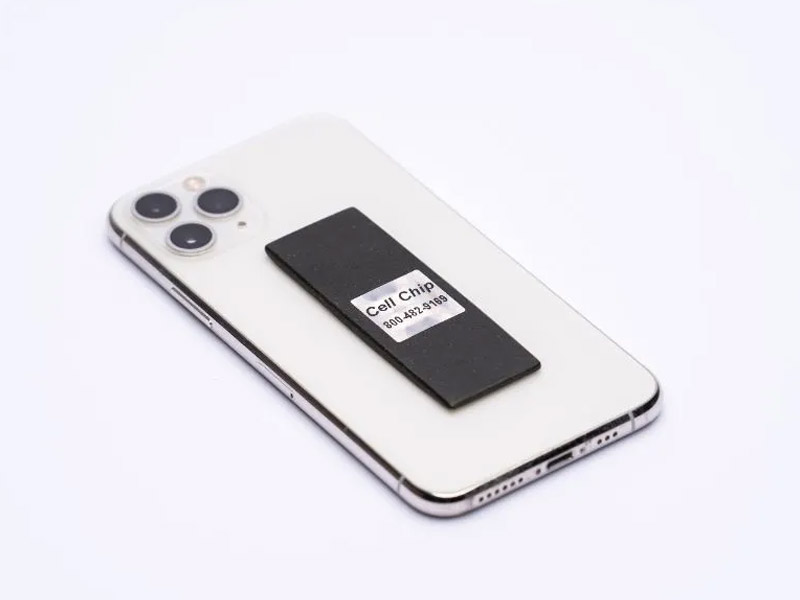
Place on back of cell phone ideally UNDER the phone case where it works best.
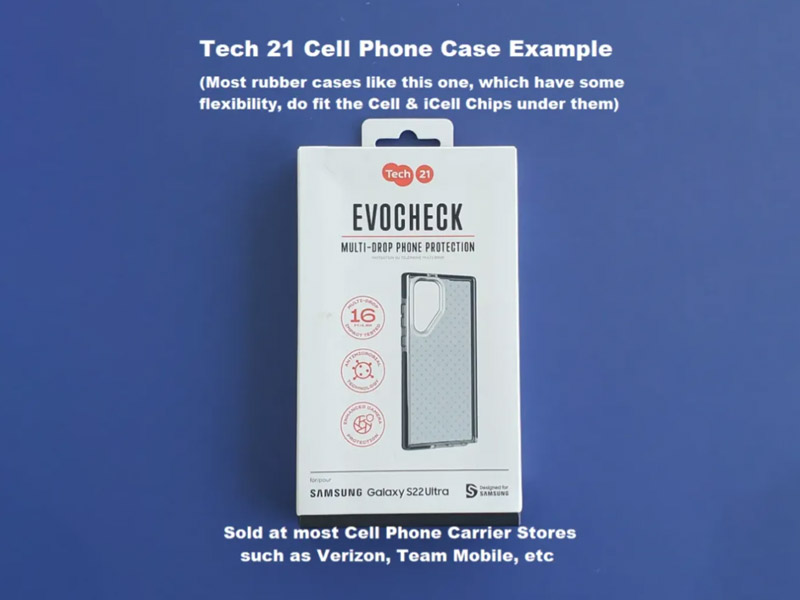
If Chip doesn’t fit under your hard phone case then use a SOFT PHONE CASE (such as a rubber or silicone case).
WHAT CASE FITS THE CELL CHIP UNDER IT?
Read all Warnings & Suggestions below. But we’ve found that the SUPCASE Unicorn Beetle Pro Series Case should fit Androids, iPhones, and almost any other make and model cell phone. (But remember iPhone 12, 13, 14 & probably 15 and after (so other “MagSafe” phones) should use the “iCell Chip” product not the “Cell Chip”.) The Cell Chip is a tight fit in this SUPCASE but it seems to protect the phone well. Another option for Cell Chips is the Onyx Case by Ringke www.ringkestore.com. You can search on Amazon or online for these and they claim to have every major phone brand and use military grade silicone. They are often only $12.99 and often in stores too.
WARNINGS & SUGGESTIONS:
- WARNING: DO NOT USE WITH CORDLESS CHARGERS – they could possibly heat up the metal circular discs (which looks like pennies) in our product – see Instruction Video for more details.
- WARNING #2: EMF Chip is FRAGILE. Be gentle and DO NOT BEND.
It is made as thin as possible to fit under many phone cases. - If the Cell Chip is OUTSIDE of the phone case it still works but slightly less than its full potential.
- Either side of the Chip may face the phone.
- Chip will NOT work if it is between the phone battery & anything metal or magnetic! So:
- Do NOT use a magnetic hanging phone system. Instead we suggest using a non-metal system such as a Pop Socket.
- Do NOT use a RFID Case (these have a space for credit cards and they block a thief from scanning your CC’s and the problem is that these types of cases have metal or magnets in the case. And remember you should never put our products between things that are either metal or magnetic)
OTHER SUGGESTIONS: We suggest using clear or scotch tape to hold chip in place then putting the case over it. You can also put it OVER the case but it might work 90% or less as well that way. Also do NOT use a Bluetooth headset which is not able to be remediated. We suggest instead using a wired headset.
- For iPhone models 12, 13 & 14 (& other “MagSafe” iPhones)
- The regular “Cell Chip” (another product) is for all other cell phones
- 3M Sticky Tape Included is only for Option 2 below
Important Instructions – please read
Option 1: Place chip under phone case
- This is the preferred method which maximizes effectiveness). Put in the middle of phone to fit. Optional – you can use Packing or other tape to adhere chip to center of phone to ensure chip stays in middle. Rubber, silicone & most flexible cases work. If you have the iPhone Mini or an inflexible case, you may have to choose Option 2 below.
- WHAT CASE FITS THE iCELL CHIP UNDER IT? We’ve found that the SUPCASE Unicorn Beetle Pro Series Case should fit the iPhone Mini, Regular, and almost any other make and model iPhone, Android, or other. It is sometimes a tight fit but it seems to protect phones well.
Option 2: Tape chip onto the outside of phone case.
- (See example pictures on product page.) Unless your case is extra thick this should completely remediate your phone. Double-sided 3M tape included is very sticky but takes 24 hours to dry (harden) completely. At first it doesn’t seem very sticky. If after 24 hours, it isn’t super securely attached, you can use Duct or Gaffer Tape instead or in addition.
- WHAT ASSISTS ATTACHING PRODUCT TO BACK OF PHONE CASE? Many Credit Card cases which attach to the back of a phone or a phone’s case can fit the Cell Chip or iCell Chip to the back of any phone. You can search for “Credit Card Case for XXX Cell Phone” on Amazon. See more below but AVOID RDIF Cases. This link is an example that should work for most phones --> CC Case for Cell or iCell Chip – EXAMPLE
IMPORTANT:
- WARNING: DO NOT USE WITH CORDLESS CHARGERS – they could possibly heat up the metal circular discs (which looks like pennies) in our product – see Instruction Video for more details.
- DO NOT USE WITH a Metal Plate Magnetic Cell Phone Holder! See Instruction video.)
DO I NEED THE “CELL CHIP” OR “iCELL CHIP”?
The new “MagSafe” iPhone 12, 13 & 14 models contain new technology and must use this Chip (not the regular “Cell Chip”). Any other future model iPhones (or if any other brands start using magnetic technology in their phones) then those phones would also need the “iCell Chip”. All other cell phone models should use the regular “Cell Chip”. Both chips work on both phones BUT using the correct chip is significantly more effective.
WARNINGS & SUGGESTIONS:
- WARNING: DO NOT USE WITH CORDLESS CHARGERS – they could possibly heat up the metal circular discs (which looks like pennies) in our product – see Instruction Video for more details.
- WARNING #2: EMF Chip is FRAGILE. Be gentle and DO NOT BEND.
It is made as thin as possible to fit under many phone cases. - If the Cell Chip is OUTSIDE of the phone case the iCell Chip should still work great. See below for more.
- Either side of the Chip may face the phone.
Chip will NOT work if it is between the phone battery & anything metal or magnetic! So:
-
- Do NOT use a magnetic hanging phone system. Instead we suggest using a non-metal system such as a Pop Socket.
- Do NOT use a RFID Case (these have a space for credit cards and they block a thief from scanning your CC’s and the problem is that these types of cases have metal or magnets in the case. And remember you should never put our products between things that are either metal or magnetic)
OTHER SUGGESTIONS: We suggest using clear or scotch tape to hold chip in place then putting the case over it. You can also put the iCell Chip OVER the case and it should work just as well as long as the case is not too thick or contain metal or magnets. Also we suggest to NOT use a Bluetooth headset which is not able to be remediated. We suggest instead using a wired headset.
Dimension
3.0″ x 1.0″ x 0.17″

(SEE SHORT VIDEO BELOW)
Clip this to the electric cord as close as possible to the device or appliance that you are wanting to remediate. Ideally the square chip should press up against the electric cord. If the cord is too thick you can use electric tape to adhere the chip to the electric cord. If you’re remediating a Wi-Fi router, etc, be sure you clip the electric cord (not a CAT5 or other cord). Devices which need remediation (even after using the Room Harmonizer or Home Harmonizer for general overall remediation) include all stronger microwave producing devices such as Wi-Fi & bluetooth-like devices. See below for the list of EMF DEVICES which need a Device Chip.
EXCEPTIONS THAT NEED 2 or 3 DEVICE CHIPS:
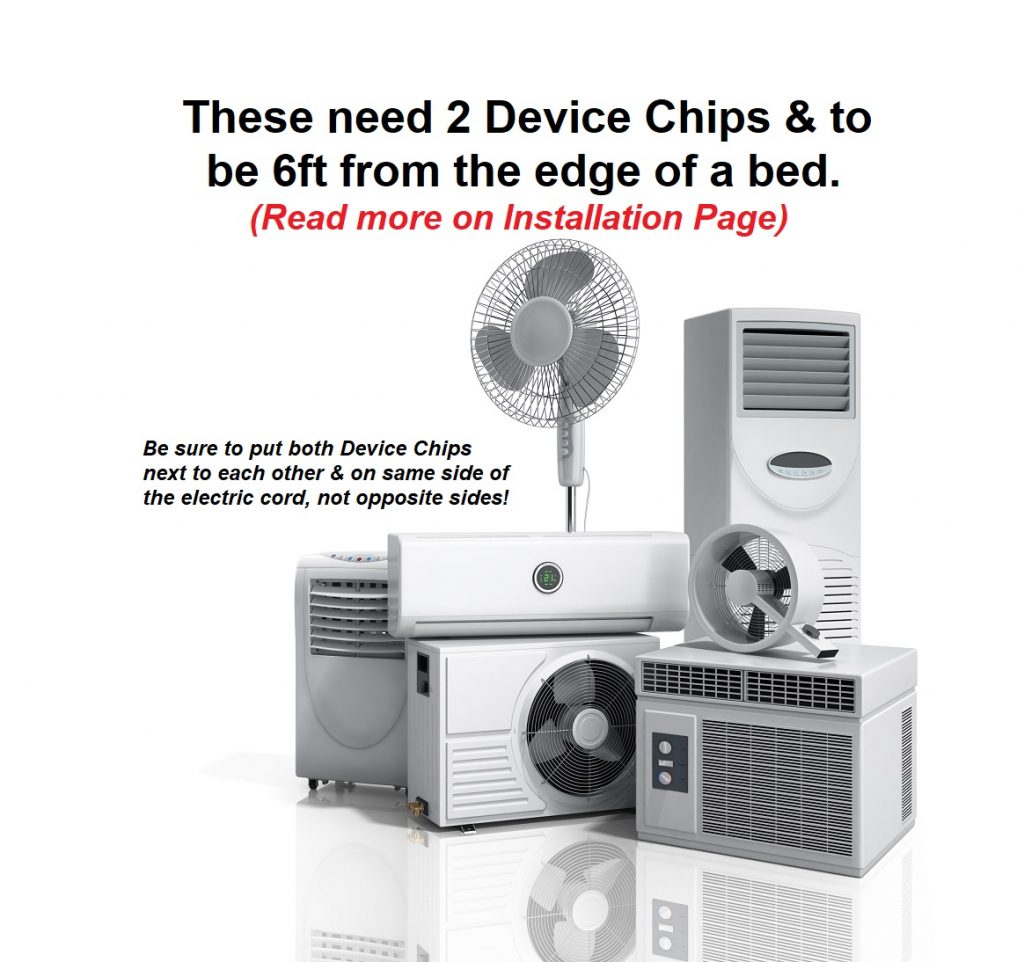
- FANS – All other fans other than Ceiling Fans need 2 chips AND to be 6 ft or more from the edge of your bed. The cord MUST BE on the same side of the cord. See product pictures for example. If you have a tower fan instead of the Device Chip you could take a Better ZZZs product and place it under the tower so that the electric cord runs right over the Better ZZZs.
- WI-FI 7 ROUTERS – These need 3 Device Chips all in a row. Cord MUST be on the same side of all 3!
HOW TO FIX A CEILING FAN: These need only one Device Chip since they spin slower than other fans. Usually you can place the chip by itself on top of the flat metal edge of the fan. You can tape it there. If you can’t do this then unscrew the cup cover and clip one Device Chip onto any one of the wires inside.
Use Device Chips to remediate strongest Wi-Fi, Bluetooth or other EMF-emitting devices, such as:
(In approximate order of importance:)
- Wi-Fi Routers
- Wi-Fi Extenders (tape chip to front)
- Newer Smart TVs (especially ones after 2020 or located in a bedroom)
- Wi-Fi printers
- Smart Home Devices (such as Alexa or Google Home)
- Gaming Stations & Gaming Controllers
- Baby Monitors
- Beds which “plug in” – such as adjustable beds, beds with a grounding mat, etc. Do NOT use Better ZZZs on these!
- Everything Bluetooth or Wi-Fi – (most important devices are ones you touch, are close to, and spend much time using…and the least important are ones opposite of that which you use less often)
- Fans, AC Units, Air Purifiers & other Rotating Electric Motor devices – most importantly the ones in or near your bedroom! Please see below for more info. ** NOTE: Fans, AC Units, etc, NOT in your bedroom are lower priority.
- Cordless House Phones (main unit only…and phones you use frequently you can tape the chip to the back over the battery)
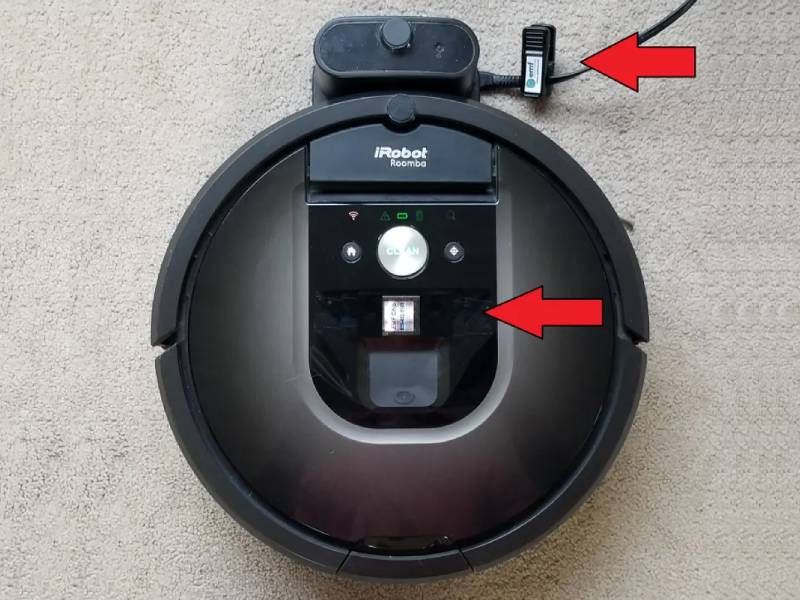
- Other Wi-Fi/Bluetooth Devices, such as: iRobot main station & unit, Cordless Security Systems, Bluetooth Speakers, Bluetooth toys, more
IMPORTANT: Do you need to fix devices when you DO NOT USE the Bluetooth or Wi-Fi functions?
Answer – yes (usually). To explain, some devices shut down or turn off the EMF radiation once the Bluetooth or Wi-Fi functions are specifically “Disabled” from the menu. But many devices, such as newer Smart TVs, still emit EMFs even after you have disabled the Wi-Fi or Bluetooth functions. Some devices also automatically reset back to “Enabled” once the device turns back on. So it is safest to remediate all Bluetooth/Wi-Fi devices unless you are absolutely sure you can disable the EMFs altogether.
OTHER EXAMPLES OF HOW & WHERE TO INSTALL DEVICE CHIPS


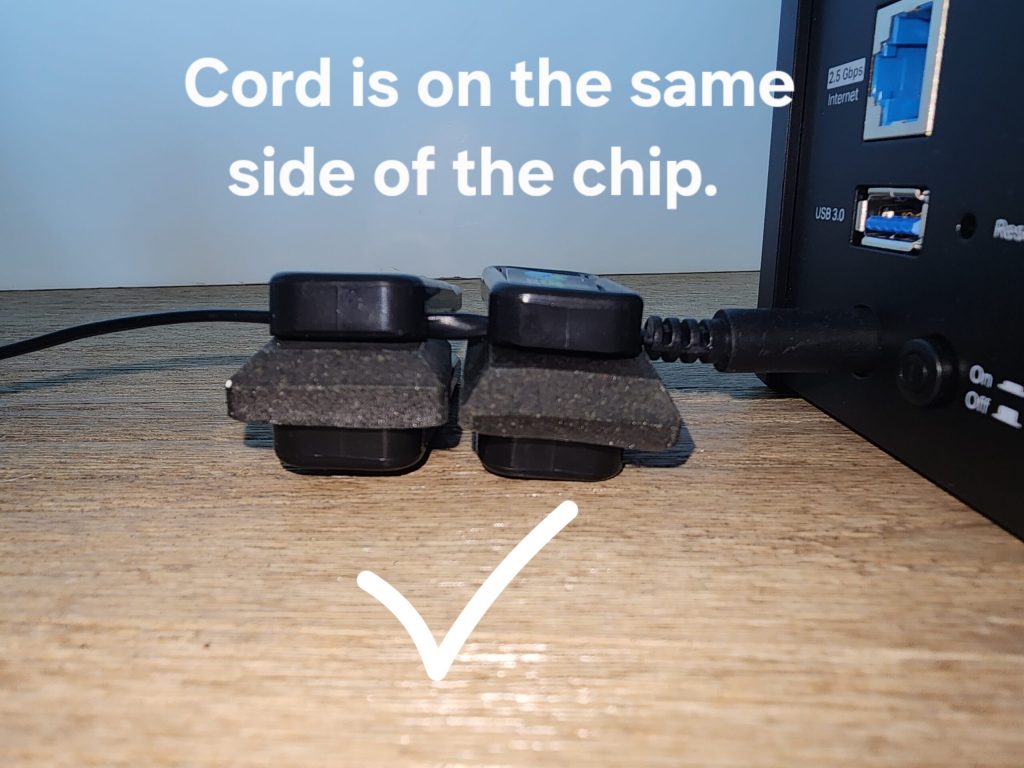
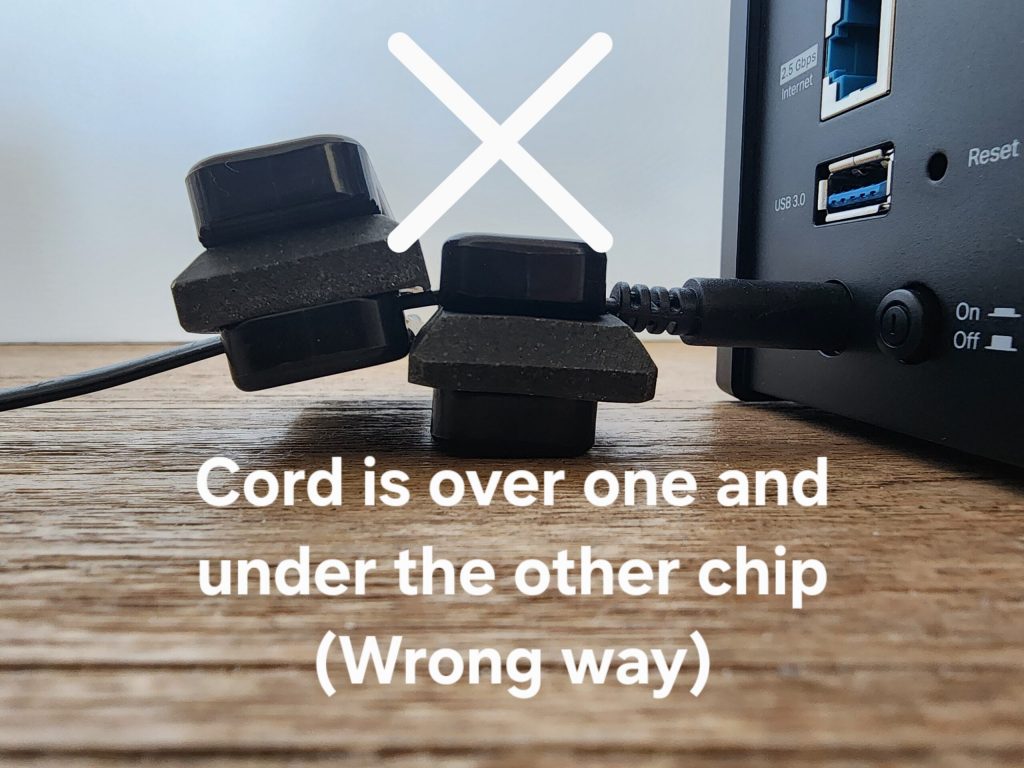

It is most important to wear a Personal Device when not home or when not in an EMF-remediated environment. When you are in a remediated environment (which has a Home or Room Harmonizer, a Device Chip on the Router, etc) you do NOT need to wear any Personal EMF Device. This band is for kids but also can be used by adults whose wrists fit into it. Fits wrists between 4.5 and 7.0 in diameter.
For larger-wristed adults (and even for kids as well) our EMF Band XL is recommended for the absolute best EMF remediation.
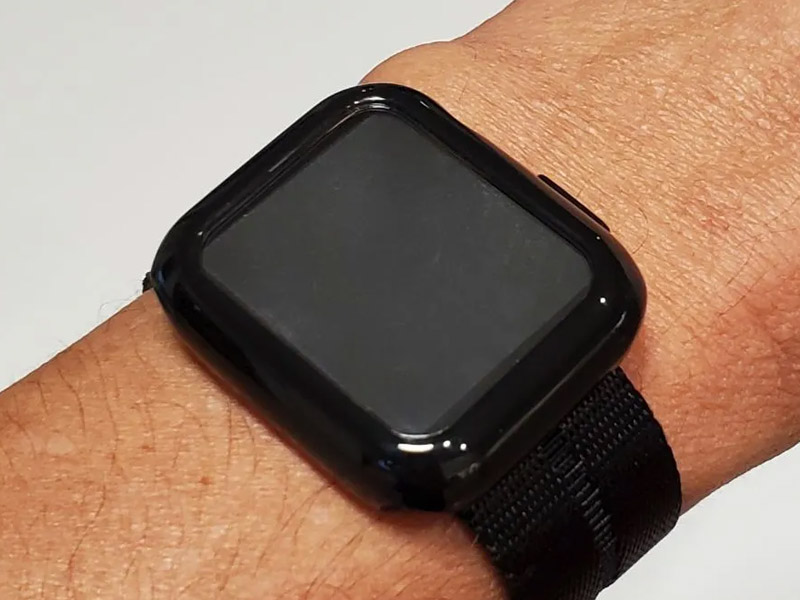
The EMF Band XL is recommended for all, especially larger kids and adults, as the absolute best EMF remediation anywhere. No band or Personal Device will ever be 100 percent but the XL Band is closest. (NOTE: The XXL Card from EMF Solutions is nearly identical in strength.)
The XL stands for more STRENGTH (not for larger size people).
The band fits adults down to an infant, but if you want a more “fun” band which is harder to catch on something when they are playing you can search on Amazon, etc, for “Band compatible with Apple Watch Band 38mm” or you can try this Amazon link – https://www.amazon.com/dp/B0CF5G2H4L/ref=twister_B0DCNSSST8?th=1
IMPORTANT NOTE: The product is NOT electronic and does NOT need to be activated or powered on. It works all the time.
IMPORTANT ABOUT FITBITS & OURA RINGS: Do not wear the XL Band while wearing these two products which we also suggest not wearing at all unless you have a medical reason to do so. There seems to be a strange reaction with these and the XL Band in some cases.
Fits wrists between 4.0 and almost 9.0 inches in diameter.
(To adjust the “Alternative Band”, sold separately, please see the video on that product page.)
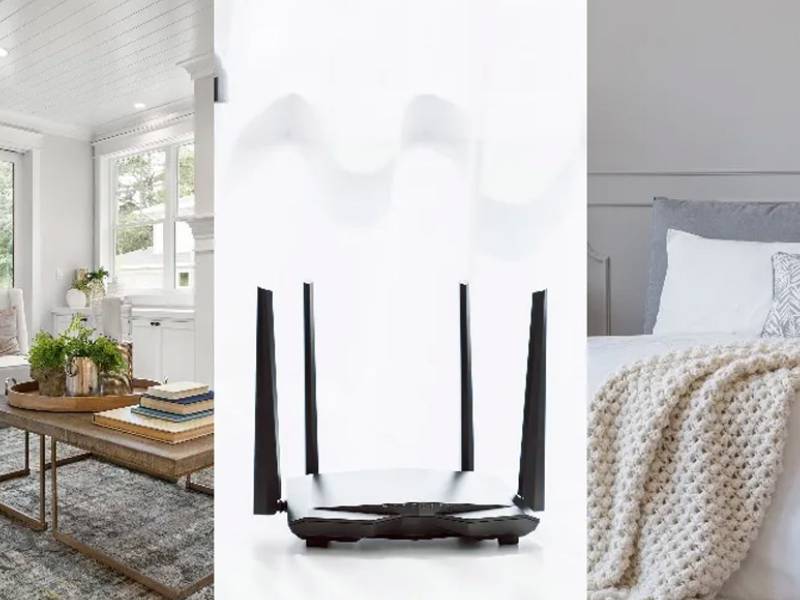
INSTALL RULE #1 – The Home Harmonizer should be placed in a spot where the electricity comes into your home, such as: next to or on top of your Electric (Smart) Meter outside, on the pipe nearest to your Electric Meter outside, or as a last resort by the Fuse box inside of the home. See short videos for best examples.
INSTALL RULE #2 – DO NOT sandwich the product between two electric or metal things for maximum effectiveness. For example, don’t place the Home Harmonizer Box (HH Box) on the electric pipe coming off of your Electric Meter in a spot where there’s another electric or metal pipe within 8 inches on the opposite side of the HH Box. See Diagrams below:
- QUANTITY: HH Box for most houses…add a Booster Box for EMF-Challenged homes such as homes with Solar Panels, within ½ block from a Cell Tower, or about 50 feet from an Electric Transformer Barrel or Extra Large High-Voltage Powerlines.
- YOU MAY DETOX – PLEASE READ: About 20 percent of those who remediate their home and their EMF emitting devices (cell phones, laptops, etc) experience a DETOX for a few days or so. Those with current health issues such as auto-immune issues are often the most likely to detox. Although this is a super positive sign of good things it can feel “icky”. Please see the Detox Protocol Sheet (for advice on how to minimize or avoid this possibility) by going here --> Tips and Wellness
To avoid feeling a “Detox” you can simply go very slow by installing or using one product at a time then introducing one more product every few days or so as you feel good. Most people do NOT need to do this, but those who are older, weaker, or sick may want to use this option. - Write with a permanent marker “Belongs to owner”&/or “Unit # XYZ” &/or your Phone # on the outside of the HH Box. That way if the Electric Company comes out and doesn’t know what it is they don’t throw it away by accident.
This is a bundle of these three products: Home Harmonizer, Better ZZZ’s, and Device Chip. For Installation Instructions please see the Instructions for each product.
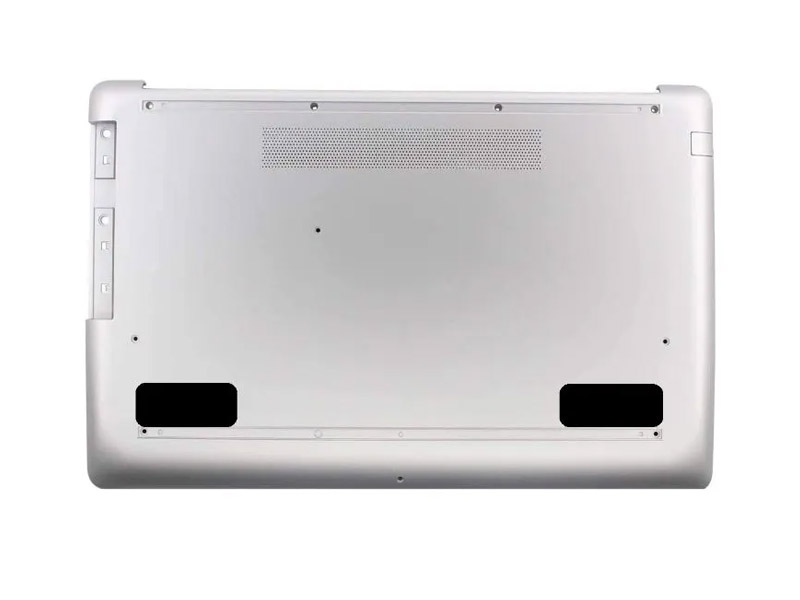
LAPTOPS – Use tape to adhere the two chips under the front corners of your laptop, like in the picture. Please use your own tape and read why here. If the bottom of your laptop or tablet is smooth we suggest using packing tape. If the bottom is rough with a texture we suggest using duct tape or gaffer tape (packing tape “could” come off depending on how rough you are with your laptop or tablet. We do not suggest using masking tape, scotch tape, or electric tape which are likely not as strong.
We stopped including double-sided sticky tape so that it will be much easier to remove the Chips from one laptop and put on another. (The double-sided 3M tape was so strong it made many chips break when trying to remove them. Therefore, we now suggest choosing your own tape.)
TABLETS – the ideal placement is to put one of the Laptop Chips in the corner near the camera lens & the other on a different corner of the tablet. See illustration below – Chip Placement is in RED.
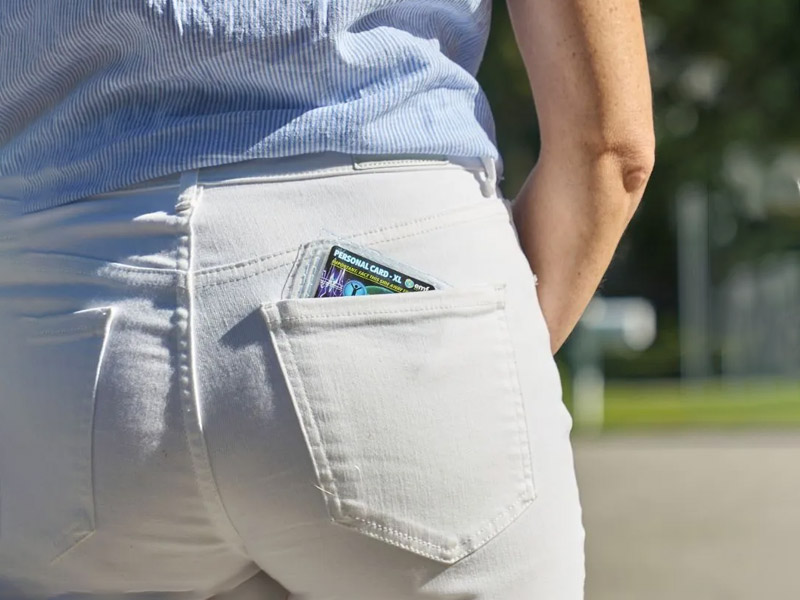
Most convenient Personal EMF Protection Device for men or people who wear pockets or carry a wallet daily.
Please read these INSTRUCTIONS & WARNINGS: BEFORE using…
ALL CARDS (Regular, XL, & XXL):
- DO NOT USE TOUCHING METAL OBJECTS such as keys, coins, a cell phone, etc. (I.E. Ideal to not put Personal Card in same pocket as your keys. It is best to wear it with nothing else in the same pocket. Some metal may already be in product so more metal could throw off the balance of the product making it less effective or even stronger than ideal for you!)
- Best worn IN SHORTS OR PANTS POCKET. The XL and XXL Cards have a super weak magnet in it, so weak it should never affect a credit card for example. It is said that magnets should not be kept around your heart, especially near pace-makers.
- DO NOT BEND TOO MUCH, PUNCTURE IT, WASH IT OR GET IT WET. If it does go through the Washing Machine it will still work but it could come apart in one to ten washes.
XXL CARD:
- SUPER IMPORTANT = the XL Card MUST be on top of the Regular Card. If you switch these two it will NOT WORK properly! See picture on Product Page for XXL Card to see which is on top.
- TO ADHERE THE TWO CARDS TOGETHER = we suggest using Packing Tape or Clear Tape around each edge. Every once in awhile you might want to put replace this tape to keep it new looking and well secured
- KEEP STICKER SIDE FACING AWAY FROM BODY FOR XXL & XL Cards (not needed for the “Regular” Card) – see front of card
XL CARD:
- KEEP STICKER SIDE FACING AWAY FROM BODY FOR XXL & XL Cards (not needed for the “Regular” Card) – see front of card
REGULAR CARD:
- GOOD FOR SMALLER KIDS WHO DO NOT WANT TO OR WHO CAN’T WEAR A REGULAR OR XL BAND – because you can wear this one facing either direction.
- USUALLY ITS OK TO HAVE METAL ITEMS IN SAME POCKET as the Card is in. For example, if a kid (or adult) accidentally puts metal keys or change in their pocket it almost always still works well. But ideally still do not put a Cell Phone in the same pocket
Another Precaution: If you puncture product just tape it to keep crushed earth materials inside product. This will keep it working effectively.
ONE-YEAR WARRANTY: If for any reason the Personal Card rips or breaks we will replace it one time free of charge for the first year. (DETAILS: For replacement product you pay shipping only. Also you must mail back the broken product to EMF Solutions first before replacement is sent. Proof of purchase from EMF Solutions or other is required…OR you can email us at info@premier33.com to request a replacement.)